How to Watch JioHotstar in UAE & Dubai (October 2026 Guide)
Start Now →
Can you watch JioHotstar in the UAE? Yes — and you don’t need a slow VPN. With AeroShield Smart DNS, residents and expats in Dubai, Abu Dhabi, Sharjah, and across the UAE can stream IPL 2026 cricket, Bigg Boss 18, Disney+ Hotstar originals, and live sports in HD/4K — with zero buffering. This guide shows you how to set it up in under 3 minutes on any device. Free trial available — no credit card required.
📋 Quick Navigation:
Why JioHotstar Is Blocked in UAE & Dubai
JioHotstar (formerly Disney+ Hotstar) holds licensing rights only for specific regions — primarily India. Due to geo-restrictions and content distribution agreements, the service actively blocks access from IP addresses located in the UAE, including Dubai, Abu Dhabi, and Sharjah.
Good news for expats & cricket fans: You don’t need to change your physical location. With Smart DNS technology, you can bypass these restrictions legally and securely — while keeping your internet speed at maximum, even on Etisalat or du connections.
Smart DNS vs. VPN: Which Works Better for UAE Streaming?
Many users in the UAE reach for a VPN first — but for streaming JioHotstar, Smart DNS is the smarter choice. Here’s why:
| Feature | Smart DNS | VPN |
|---|---|---|
| Speed | ✅ Maximum (no encryption overhead) | ⚠️ Slower due to encryption |
| Setup Time | ✅ <2 minutes | ⚠️ 5-10 minutes + app install |
| Smart TV Support | ✅ Works natively (Samsung, LG, Fire Stick) | ❌ Often requires router setup |
| Battery Impact | ✅ None | ⚠️ Moderate (background encryption) |
| UAE ISP Compatibility | ✅ Works with Etisalat, du, Virgin | ⚠️ Some VPNs blocked by ISPs |
| Best For | Streaming geo-blocked content | Privacy + bypassing censorship |
💡 Pro Tip for UAE Users: Smart DNS doesn’t encrypt traffic, so it won’t bypass UAE internet censorship. Use it specifically for streaming JioHotstar.
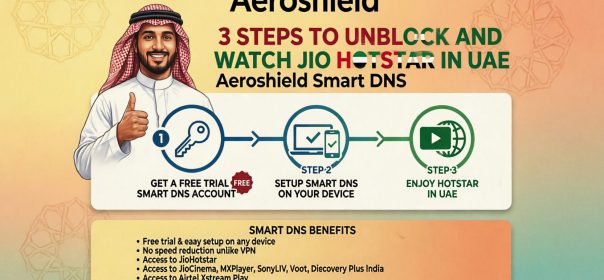
Step-by-Step: Set Up AeroShield Smart DNS in 3 Minutes
Follow these simple steps to start streaming JioHotstar in UAE today. No technical skills required — works with Etisalat, du, and Virgin Mobile connections.
🚀 Quick Start
- Claim your FREE trial → Get Started Here
- Authorize your UAE IP in the AeroShield dashboard (auto-detected)
- Update DNS settings on your device (instructions below)
- Clear browser cache and open JioHotstar — you’re ready! 🎉
📱 For Android & iOS Phones (UAE)
Tap to expand setup instructions
- Go to Settings > Wi-Fi (or Cellular/Mobile Data)
- Tap the ⓘ icon or long-press your connected network
- Scroll to DNS → Select Manual
- Enter AeroShield DNS addresses (provided after signup)
- Save → Restart JioHotstar app
📺 For Smart TVs (Samsung, LG, Fire Stick, Android TV) in UAE
Tap to expand setup instructions
- Open your TV’s Network Settings
- Select your connection → Advanced Settings
- Find DNS Settings → Choose Manual
- Input AeroShield DNS servers
- Save & restart TV → Launch JioHotstar app
💡 Fire Stick users in Dubai: Install the “DNS Changer” app from Amazon Store for easier setup without router access.
💻 For Windows & Mac Computers (UAE)
Tap to expand setup instructions
Windows:
- Open Control Panel > Network and Internet > Network Connections
- Right-click your active connection → Properties
- Select Internet Protocol Version 4 (TCP/IPv4) → Properties
- Choose “Use the following DNS server addresses” and enter AeroShield DNS
- Click OK → Restart browser
Mac:
- Go to System Settings > Network
- Select your connection → Details > DNS
- Click + to add AeroShield DNS servers
- Click OK → Apply → Restart browser
🎁 Start Free Trial — No Credit Card
✅ Works on all devices • ✅ HD/4K streaming • ✅ 24/7 support • ✅ Compatible with Etisalat & du
🔧 Troubleshooting: If JioHotstar Still Doesn’t Work in UAE
Encountering issues? Try these quick fixes before contacting support:
- Clear cache & cookies in your browser (or reinstall the JioHotstar app)
- Restart your router and device to apply DNS changes fully
- Remove other DNS entries — keep only AeroShield servers active
- Try incognito/private mode to rule out extension conflicts
- Check IP authorization in your AeroShield dashboard (re-authorize if your UAE IP changed)
- Test on another device to isolate the issue
- Disable IPv6 temporarily if your ISP (Etisalat/du) prioritizes it
Still stuck? Email support@aeroshield.me with your UAE IP address for instant assistance.
🎬 What You Can Stream on JioHotstar from UAE
Once connected via AeroShield Smart DNS, unlock the full JioHotstar India library from Dubai, Abu Dhabi, or anywhere in the UAE:
IPL 2026, ICC Cricket World Cup, Premier League, Kabaddi
Bigg Boss 18, Anupamaa, Yeh Rishta Kya Kehlata Hai, Crime Patrol
Bollywood premieres, South Indian films, Hollywood dubs in Hindi
Disney originals, Marvel, Star Wars, Chhota Bheem, animated series
❓ Frequently Asked Questions (UAE)
Is using Smart DNS to watch JioHotstar legal in UAE?
Smart DNS technology itself is legal in the UAE. However, accessing geo-restricted content may violate JioHotstar’s Terms of Service. AeroShield is designed for users with legitimate subscriptions traveling outside India. We encourage compliance with all applicable terms, UAE cyber laws, and local regulations.
Will Smart DNS work with Etisalat or du?
Yes! AeroShield Smart DNS is fully compatible with Etisalat, du, and Virgin Mobile UAE connections. Unlike many VPNs, Smart DNS isn’t typically blocked by UAE ISPs because it doesn’t encrypt traffic — it only reroutes DNS queries for streaming.
Does this work on all JioHotstar content?
Yes! Once your DNS is configured, you’ll access the full India-region JioHotstar library — live sports, originals, movies, and regional content in Tamil, Telugu, Bengali, Malayalam, and more — all in HD/4K from your UAE home.
Can I use this on multiple devices in my UAE home?
Absolutely. One AeroShield account works on unlimited devices at the same IP location. Set up your phone, Smart TV, laptop, and tablet — all with one free trial. Perfect for families in Dubai or Abu Dhabi.
Will this affect my UAE internet speed?
No. Unlike VPNs, Smart DNS doesn’t encrypt your entire connection — it only reroutes DNS queries for JioHotstar. Your browsing, gaming, and other streaming speeds remain at your ISP’s maximum (Etisalat/du fiber speeds fully supported).
🔒 Trusted by 15,000+ Expats Across UAE & GCC
✅ 24/7 Support
✅ 30-Day Money-Back
✅ No Logs Policy
✅ Etisalat/du Compatible
💬 What UAE Residents Say
“Living in Dubai, I missed IPL cricket. AeroShield worked instantly on my Samsung TV with Etisalat. No lag, no buffering — just pure cricket action! The free trial sealed the deal.”
— Rohan M., Dubai 🇦🇪
“Setup took 2 minutes on my iPhone with du network. Bigg Boss streams perfectly now. Love that it doesn’t drain battery like VPNs do. Highly recommend for Indian expats!”
— Priya K., Abu Dhabi 🇦🇪
“Tried 3 VPNs before finding AeroShield. Smart DNS is the way to go for streaming in UAE. Support team helped me set up my Fire Stick in minutes. Worth every dirham!”
— Arjun S., Sharjah 🇦🇪
Ready to Stream JioHotstar in UAE?
Join thousands of satisfied expats across Dubai, Abu Dhabi & the GCC. Start your free trial today — no credit card, no risk.
✅ Instant access • ✅ All devices • ✅ HD/4K streaming • ✅ Works with Etisalat & du • ✅ Cancel anytime
Explore More Guides:
→ Complete Smart DNS Setup Tutorial
→ JioHotstar Access Guide: All Countries
→ Need Privacy + Streaming in UAE? Try AeroShield VPN
→ Best Streaming Setup for Dubai Expats